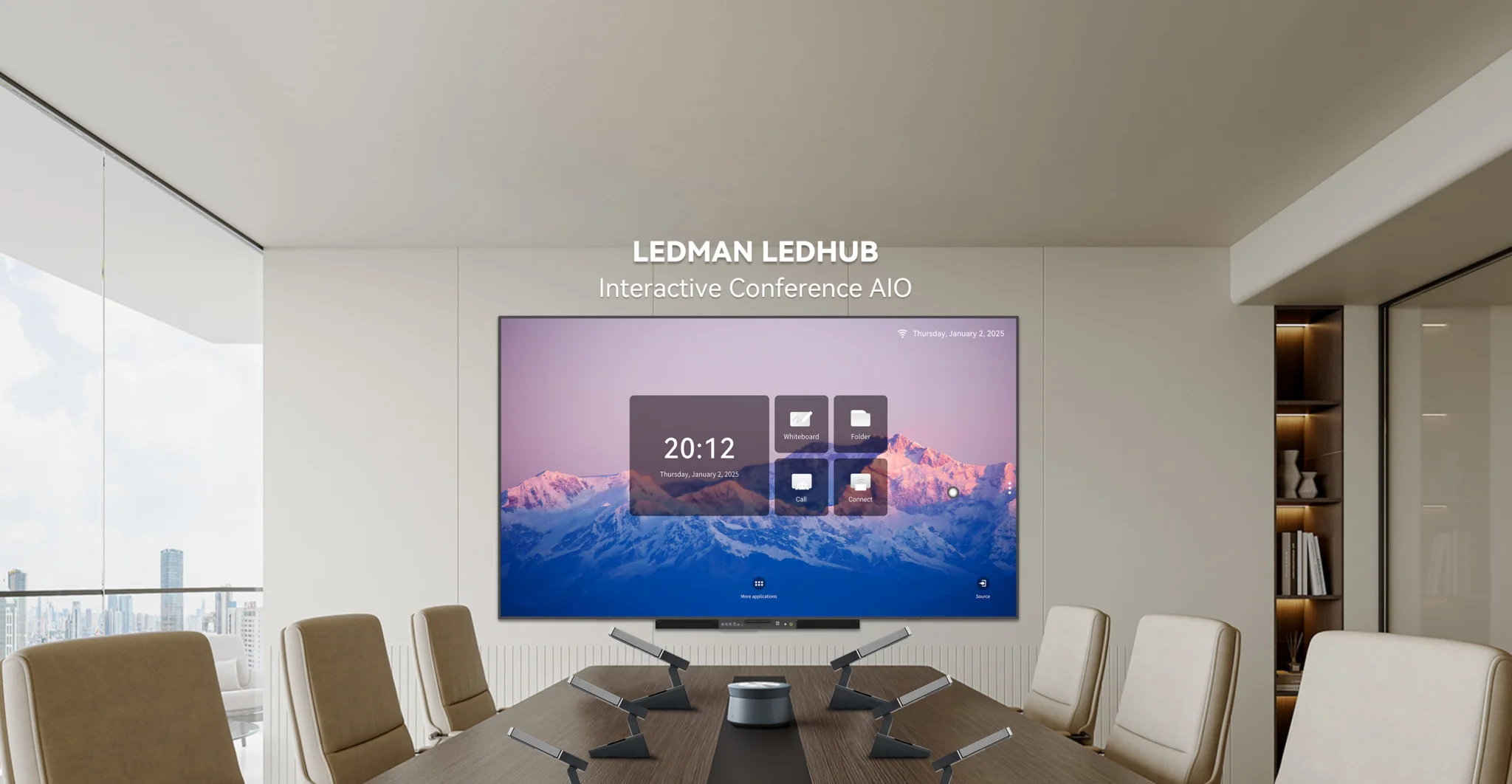
Conference rooms now support far more than slide presentations. Remote meetings, collaborative notes, wireless content sharing, and real-time document editing have become part of everyday business communication. Selecting suitable conference room smart boards therefore requires attention to room dimensions, interaction quality, conferencing compatibility, and IT administration rather than screen size alone. The right combination can make meetings more efficient without turning the display into an oversized piece of unused equipment.
Match Screen Size To The Room
Viewing distance should determine display dimensions. Participants seated close to the front need clear text without excessive screen area, while larger boardrooms may require a wider visual field so people at the far end can read charts and presentation details comfortably.
Room layout also matters. A screen positioned beside windows may experience glare, while wall-mounted equipment can compete with cameras, speakers, or architectural features for available space. Measuring the wall, seating arrangement, and camera position before purchasing gives the technology a practical context.
Content type offers another useful reference point. Financial dashboards, engineering diagrams, spreadsheets, and detailed presentations benefit from greater visual clarity than simple agenda slides. Conference room smart boards should therefore be assessed according to the information that meeting participants actually need to read and manipulate.
Evaluate Touch And Collaboration Features
Touch performance affects more than the ability to tap an icon. Business users may annotate presentations, write meeting notes, move objects across a canvas, or work on diagrams together. Responsive interaction becomes particularly important when several participants contribute during the same session.
Ledman’s interactive display solutions incorporate COB Micro LED technology, dual-system architecture, writing functions, multiple sizes, and eye-care features. Such capabilities can support collaborative meetings where annotation and visual explanation form part of the discussion rather than serving as occasional extras.
Handwriting recognition and writing-board functions should also be tested under realistic conditions. Thin strokes, diagrams, and quick notes need to appear naturally without distracting delays. Different departments may have different expectations, so an evaluation session involving actual users can reveal practical differences between models.
Check Video Conferencing Compatibility
Video conferencing turns the display into part of a broader communication system. Cameras, Microphones, speakers, computers, meeting platforms, and network connections all have to work together without creating unnecessary switching steps for users.
Compatibility should be checked at the interface level as well as the software level. HDMI, USB, wireless casting, network connectivity, and supported conferencing applications can influence how easily employees move from an in-room presentation to a remote meeting.
Camera placement deserves particular attention. Mounting the camera too high or too low can produce unnatural eye lines, while a screen that occupies the same wall area may restrict camera positioning. Good conference-room design considers the display and camera as one visual system.
Consider Wireless Presentation And Content Sharing
Cable-free presentation can simplify meetings involving multiple participants. Instead of repeatedly connecting laptops, employees can share slides, browser windows, documents, or other content from their own devices.
Network conditions remain important. Wireless presentation depends on stable connectivity, device compatibility, and appropriate security policies. Corporate IT teams may also restrict certain protocols, meaning the preferred sharing method should be tested against existing network controls before deployment.
Physical inputs still have value. Wired connections provide an alternative when wireless performance becomes unreliable or when external devices require direct access. A practical meeting room therefore benefits from having more than one content-sharing route.
Plan IT Management Before Deployment
Smart displays introduce another endpoint into the corporate technology environment. Firmware updates, user permissions, application management, network configuration, and device monitoring may all become part of the IT workload.
Security requirements should be defined early. Meeting rooms can handle confidential presentations, internal documents, and customer information, so access controls and network segmentation may be relevant depending on the organization’s policies.
Scalability matters for companies with several meeting spaces. Standardizing connection methods, user instructions, and administrative procedures can make larger deployments easier to maintain. Different rooms may still require different screen sizes, but the underlying workflow can remain consistent.
Compare Total Meeting Value
Price should not be the only factor behind the purchasing decision. Installation requirements, accessories, software compatibility, training, maintenance, and expected operating patterns can influence the real cost of ownership.
Meeting frequency provides another useful measure. A display used several times every day may justify stronger collaboration features than equipment reserved for occasional executive presentations. Conversely, a smaller room with limited interactive requirements may not benefit from every available function.
User adoption should also form part of the evaluation. Even sophisticated conference room smart boards provide limited value if employees find the interface difficult to understand. Short training sessions, clear room instructions, and familiar workflows can make adoption more practical.
Conclusion
Choosing meeting-room display technology involves balancing physical space with human behavior and technical infrastructure. Screen dimensions affect readability, touch functions shape collaboration, conferencing compatibility supports remote communication, and wireless sharing influences everyday convenience. IT management then determines how smoothly the equipment fits into the wider corporate environment.
Rather than selecting equipment based on specifications alone, procurement teams can assess the display through actual meeting scenarios: presentation, annotation, remote calls, content sharing, and administrative maintenance. Ledman’s combination of interactive functionality, dual-system design, COB Micro LED technology, and multiple size options provides one example of how these requirements can be brought together, while the final selection should remain tied to each organization’s room layout and workflow.
